Everything a landlord needs between move-in and move-out
RentDesk24 does one job well: it keeps rent, leases and tenant paperwork organised and reminds everyone at the right time. Here is everything it does.
Properties
Your portfolio, added once
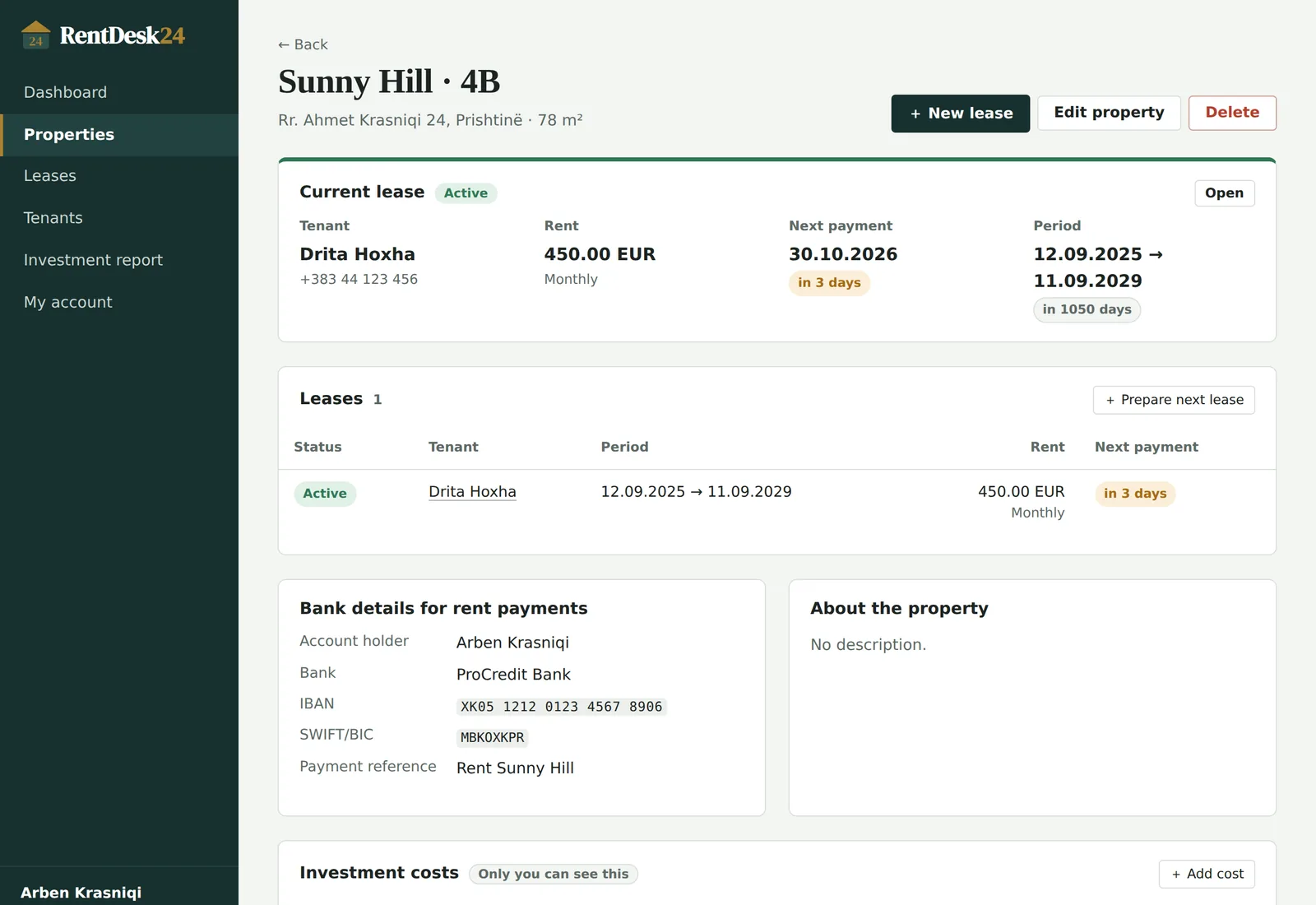
Each property keeps its own address, photos, bank details and the full history of everyone who rented it.
Floor, parking, meters, keys — whatever you want to remember about the place itself.
Up to 12 photos per property. Location data is removed automatically when you upload.
Account holder, bank, IBAN (checked for typos), SWIFT and payment reference — shown to the tenant.
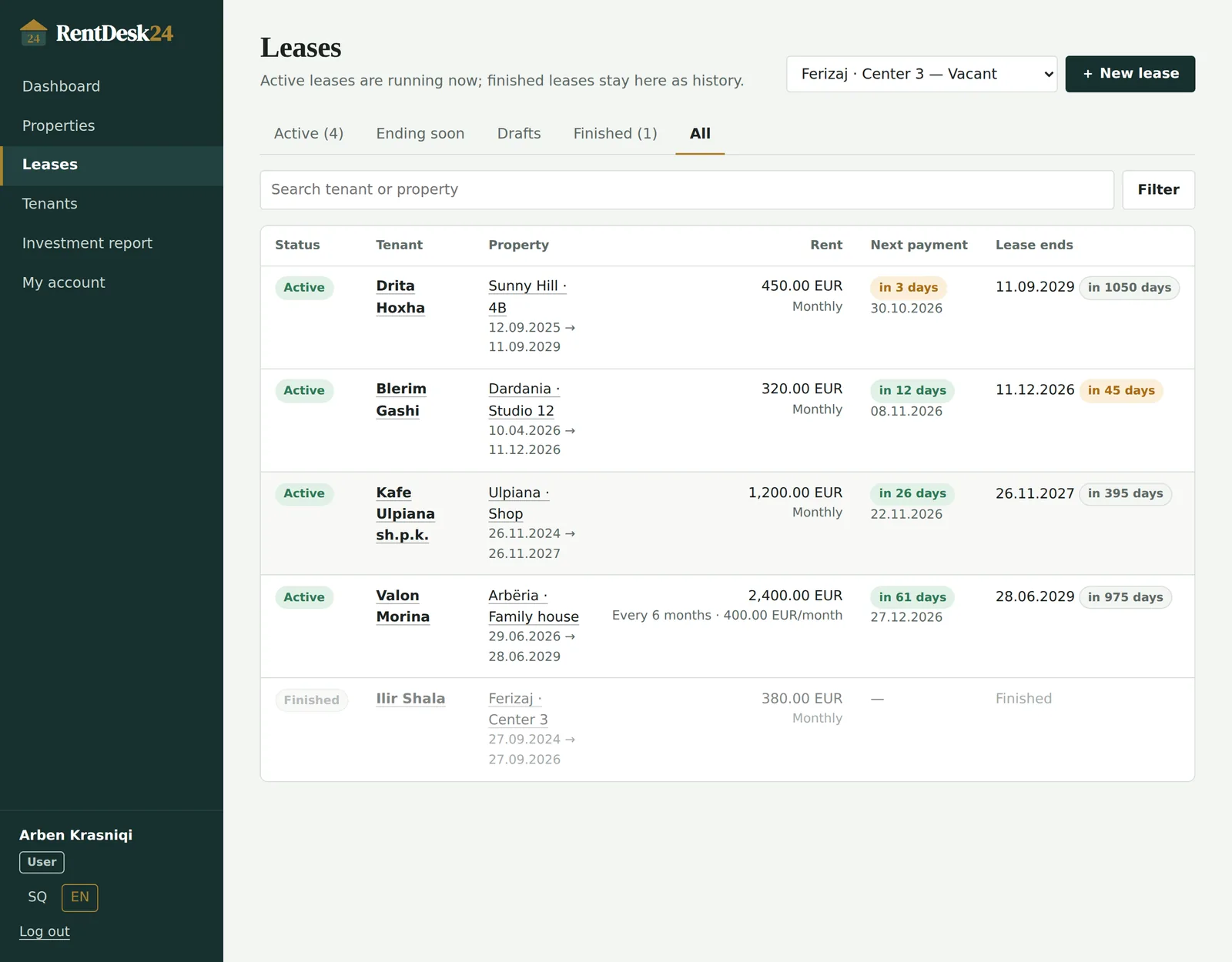
Filter by overdue, ending soon or vacant, and see the active tenant and next payment in the list.
Leases
Leases with a beginning and an end
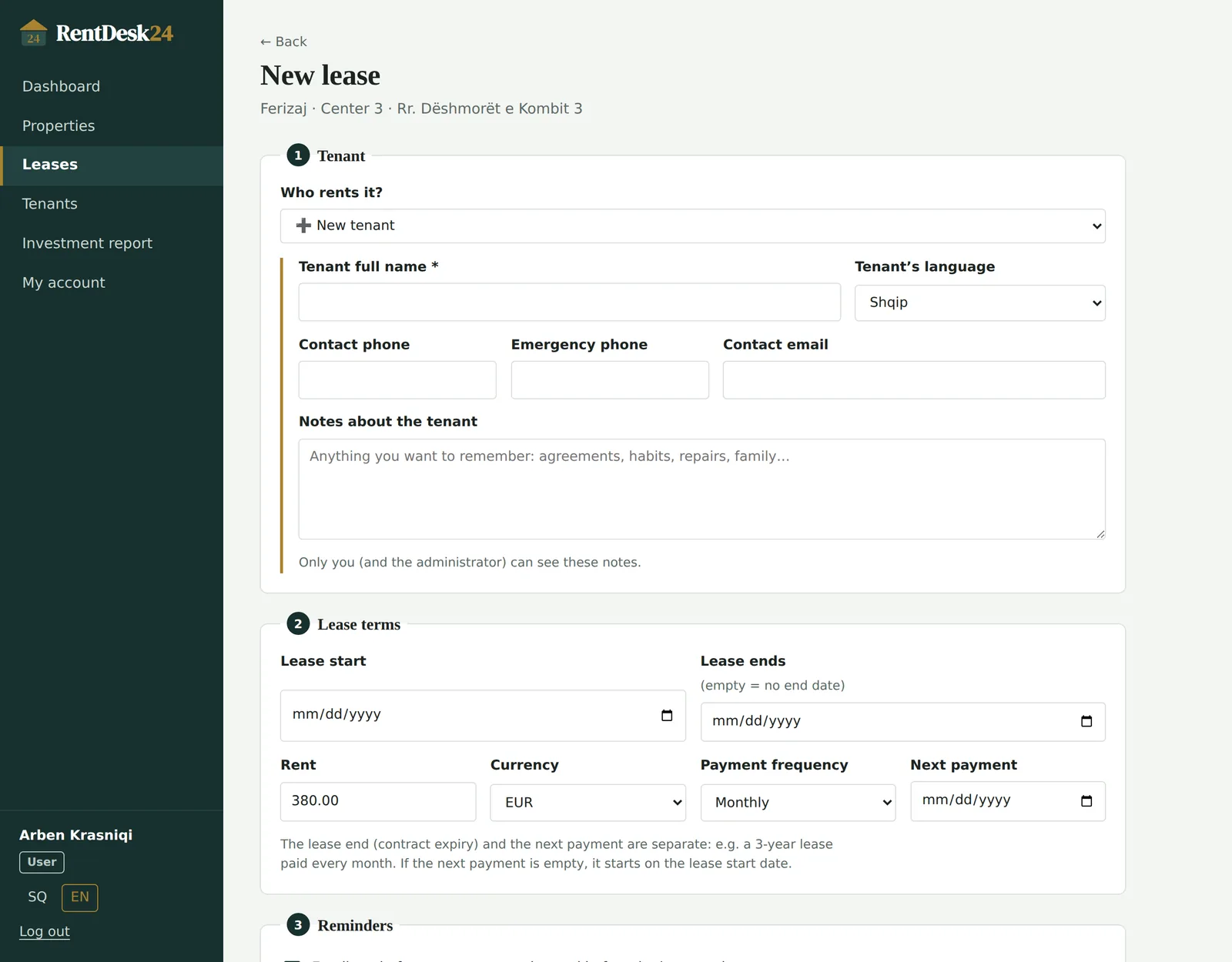
A lease connects a tenant to a property for a period. When it ends, it stays as history and the property is ready for the next one.
Prepare the next lease as a draft while the current tenant is still there. Only one lease per property can be active.
A three-year contract paid monthly works the way you expect: the end date and the next payment date are independent.
Monthly, every 2, 3 or 6 months, or yearly. Every amount is also shown as a monthly figure.
One click moves the next payment date forward by the payment frequency. You are warned if it passes the lease end.
Tenants
Tenant profiles you can reuse
A tenant can rent again later, or move to another of your properties, without retyping anything.
Phone, emergency phone, email, and whether they read emails in English or Albanian.
Anything you want to remember about a tenant. Only you (and an administrator) can see them.
Every lease a tenant has had with you, active or finished, in one place.
Choose an existing tenant to see their details, or add a new one right in the lease form.
Reminders
Emails that go out on time, every time
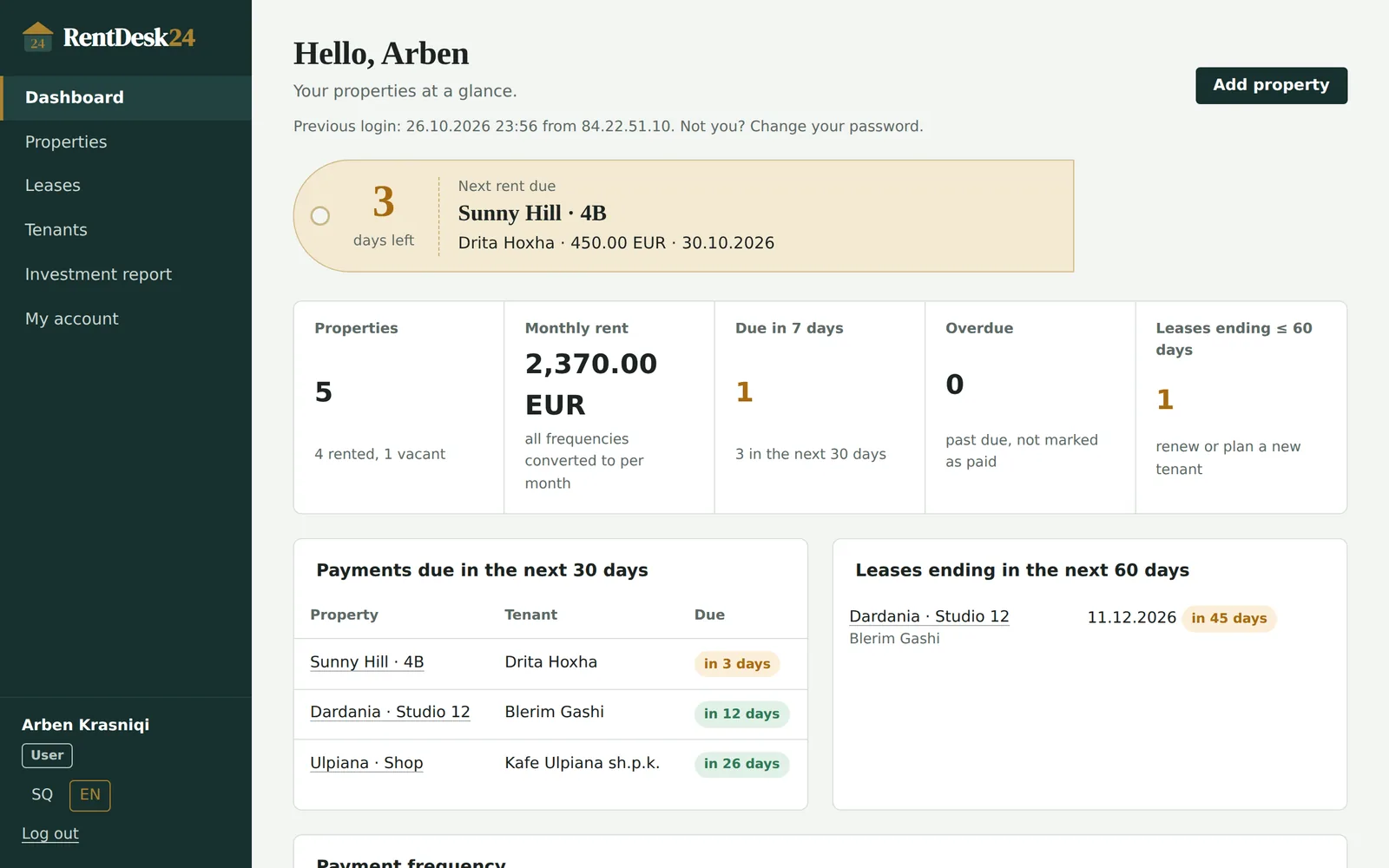
RentDesk24 checks every lease once a day and sends each reminder exactly once.
You choose how many days before — 7 by default. You get a reminder; your tenant can get one too.
30 days before by default, so you have time to renew or find the next tenant.
Write your own tenant message with placeholders like {amount} and {due_date}, or use the standard one.
One button emails the tenant a reminder whenever you need it.
Tenant page
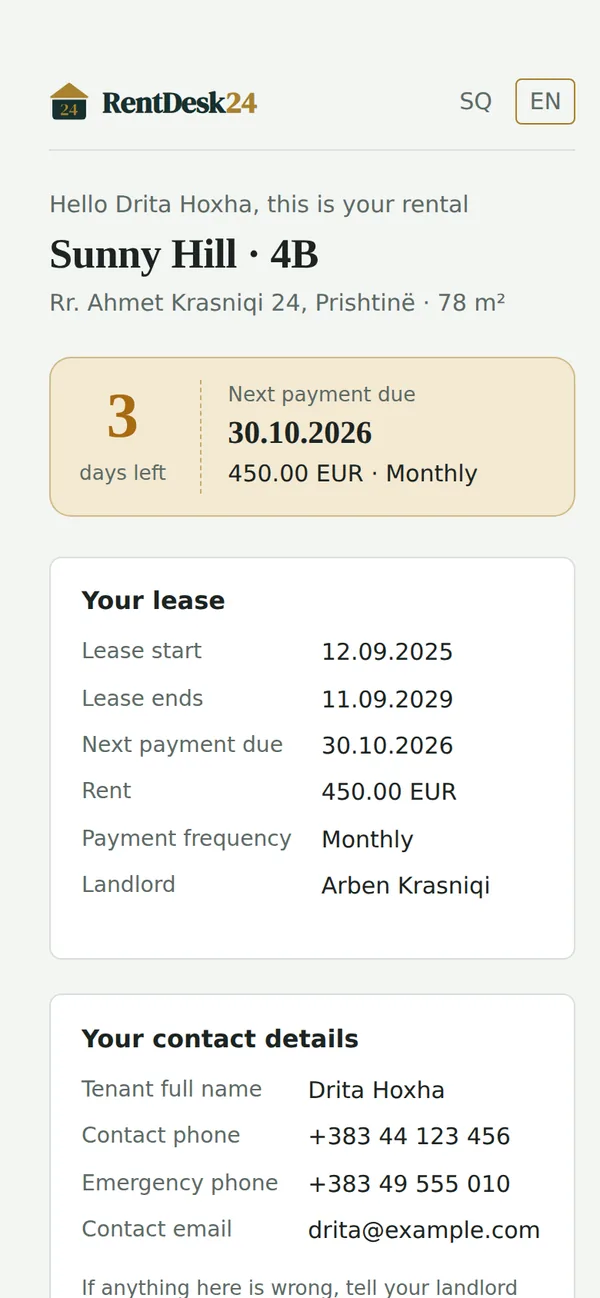
One private link per lease
The tenant needs no account. The link is long, random and works only while the lease is active.
Address, photos, lease start and end, next payment, amount, bank details and their own contact data.
Your private notes, your costs or anything from other leases.
Create a new link (the old one stops working at once) or switch the page off.
Large text, a copy button for the IBAN and documents one tap away.
Documents
The paperwork, shared both ways
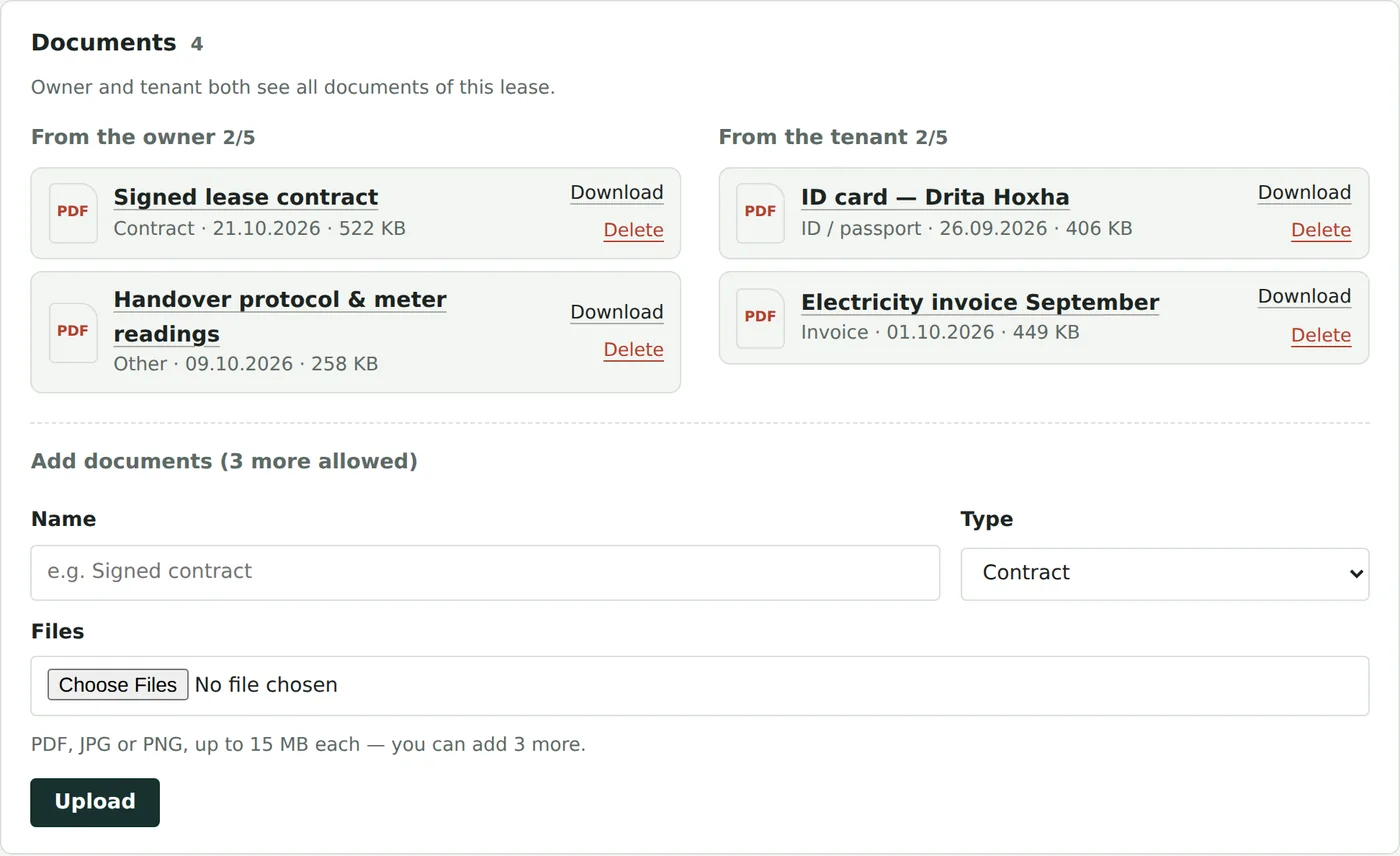
Contracts, IDs, invoices and receipts live with the lease they belong to.
Up to five from you and five from your tenant: PDF, JPG or PNG, up to 15 MB each.
When the tenant uploads something, you receive an email with a link to the lease.
Files are stored outside the public website and checked on every request. Fake files are rejected.
Who opened which document, and when, is recorded.
Investment report
What each property really earns
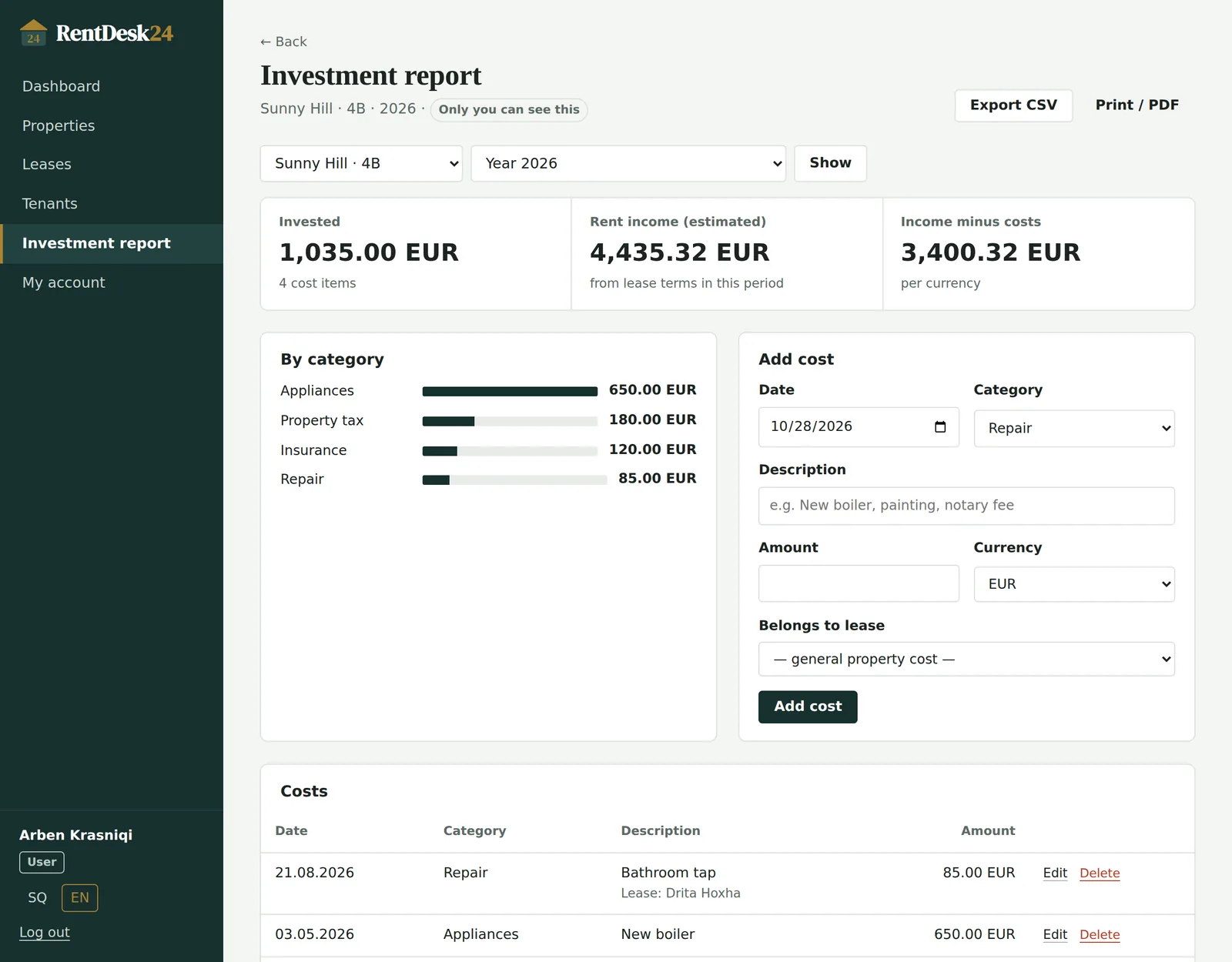
Track what you spend and compare it with the rent each property brought in.
Purchase, renovation, repairs, furniture, appliances, property tax, insurance, utilities, maintenance, management, legal, other.
Get an end-of-lease report the day a tenant moves out, or a yearly one for your accountant.
Estimated rent income from the lease terms, shown beside what you invested.
Not visible to managers or administrators. Export to CSV or print as PDF.
Accounts & security
Sign in once, stay safe
Simple for you, hard for anyone else.
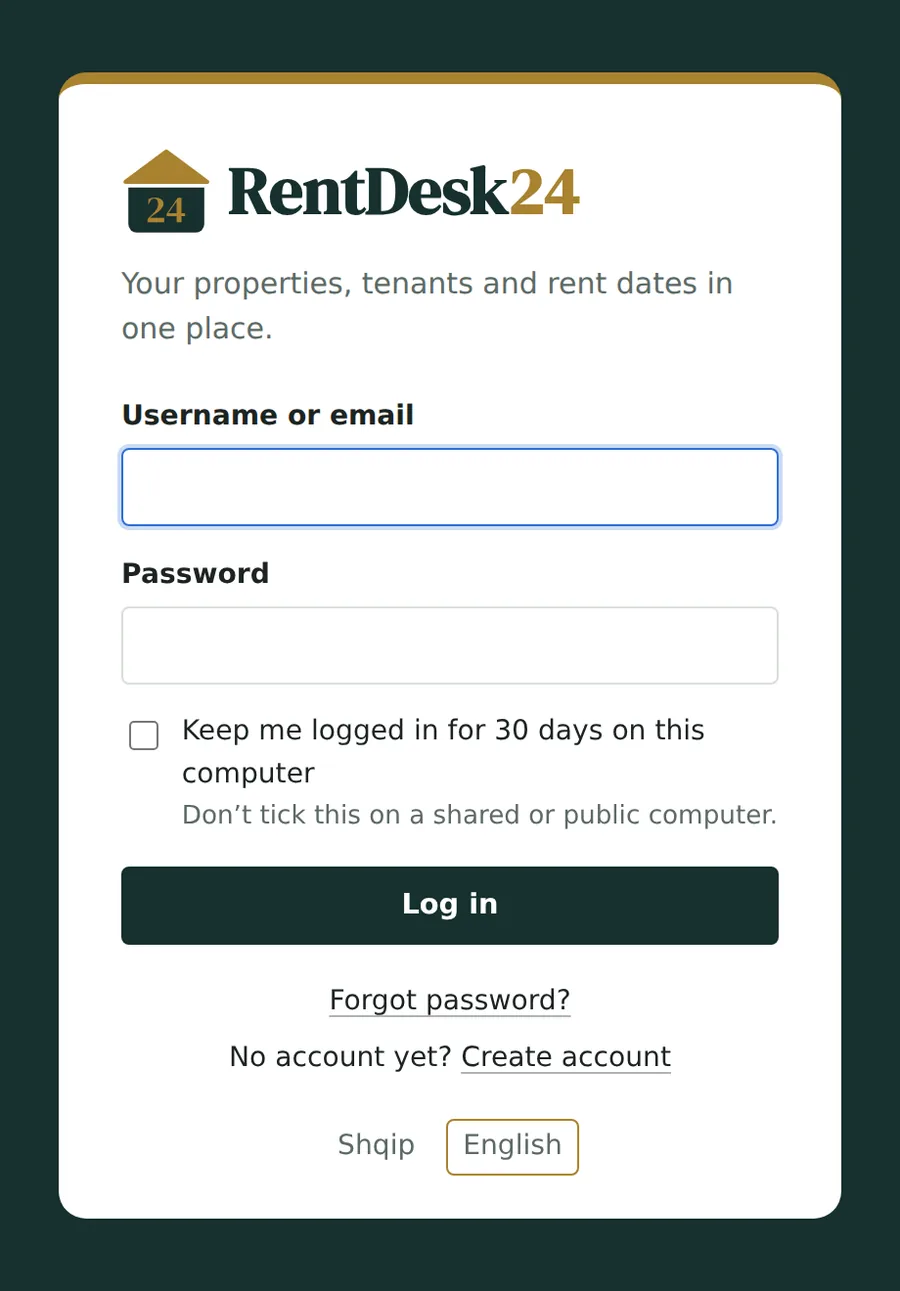
On your own computer only. See and forget remembered computers in My account.
A one-time link by email, valid for one hour. Your old password works until you set a new one.
New accounts confirm their email before the first login.
Managers, users and administrators, with permissions an administrator can adjust.
Spreadsheet and phone calls, or RentDesk24
| The usual way | With RentDesk24 |
|---|---|
| You remember rent dates — or you don’t. | You and your tenant get an email before every payment. |
| Tenants message you for the IBAN every month. | The tenant page always shows the bank details. |
| The contract is in a drawer, the ID in a chat. | Every document sits with its lease, visible to both of you. |
| When a tenant leaves, you start a new sheet. | Finish the lease; the property and its history stay. |
| At tax time you dig through receipts. | The investment report is ready per year or per lease. |
Your next rent day can run itself.
Create a free account, add one property and watch the first reminder arrive in your inbox.